Your space
The perspective grid adapts to your room.
Browser game meets real movement
Do not just play on a screen. Set up the camera, mark your floor and solve interactive courses with real steps.

More than a browser game
Step Escape verbindet Kamera, Play Area und Bewegung zu einer Challenge, die direkt bei dir zu Hause beginnt. Ohne Konsole, ohne zusätzliche Sensoren.
The perspective grid adapts to your room.
The camera detects which tile you are standing on.
Choose a mode and make every run feel new.
Start right away
Choose a challenge and turn your floor into an interactive play area.
 Ready to play
Coming soon
Ready in minutes
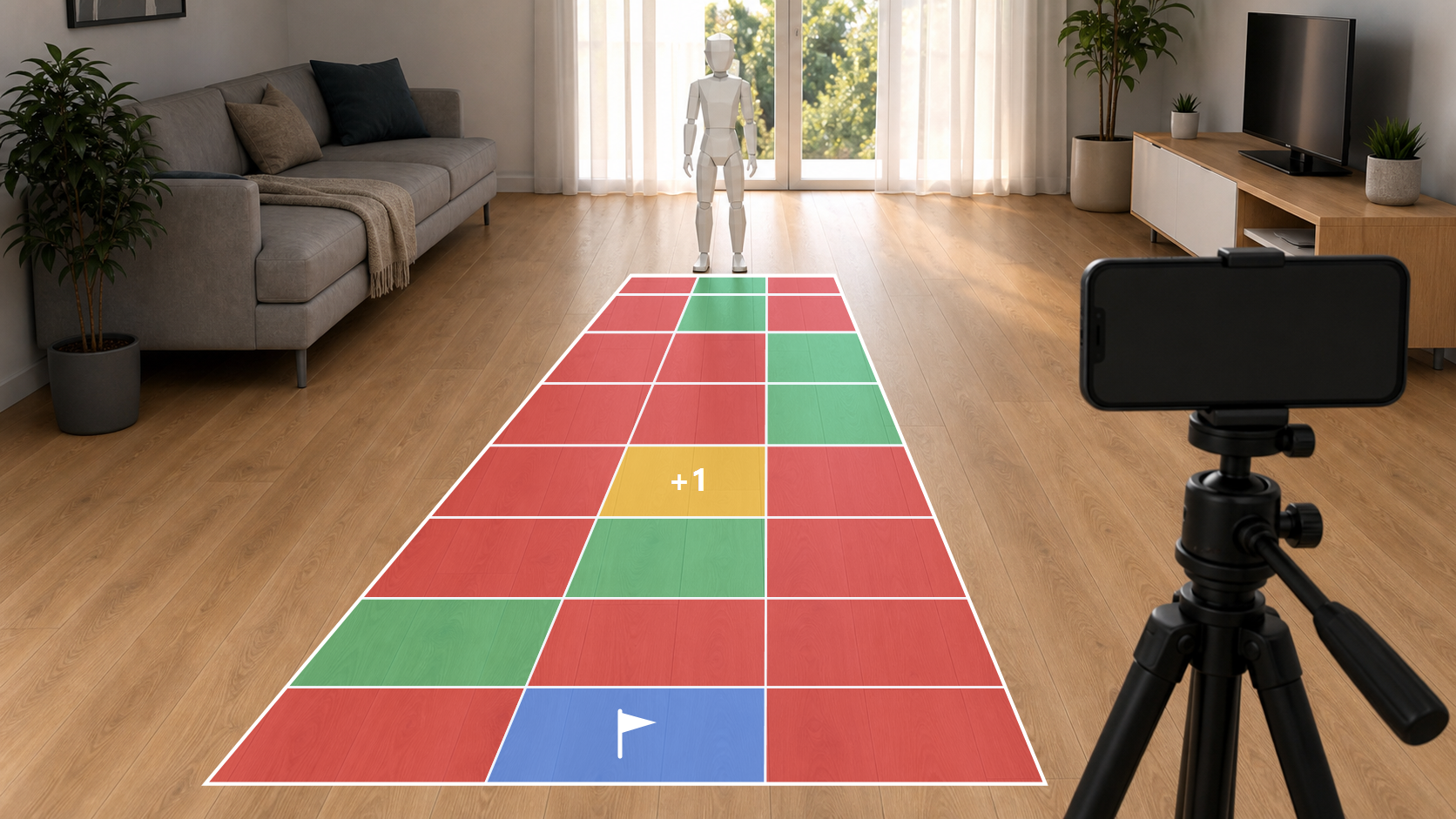
Step Escape needs no console and no additional sensor. Your smartphone detects movement directly through the camera.
View full guidePlace the camera steadily. Keep about one to two meters between the camera and the nearest play tile.
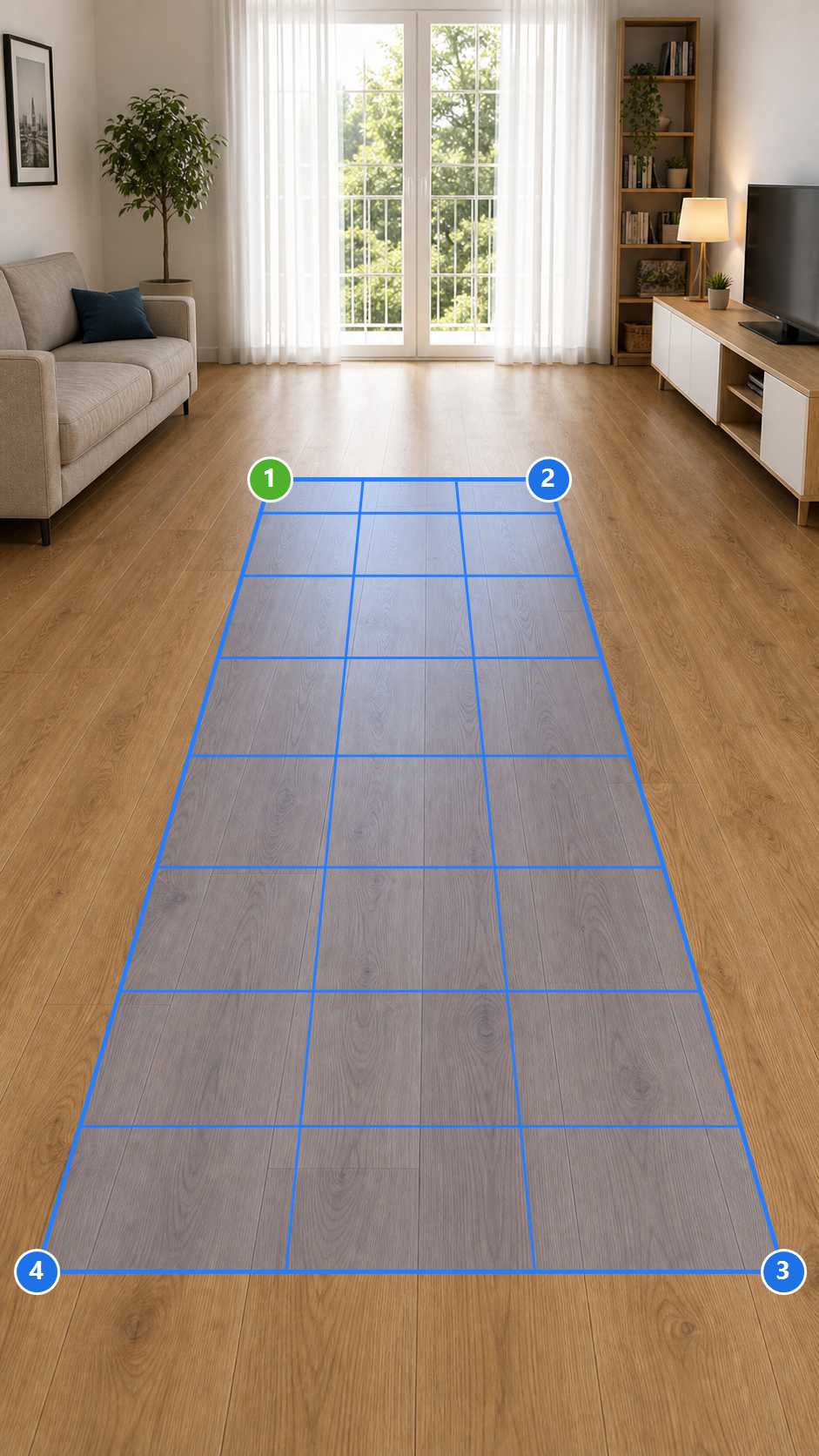
Set four corner points in the camera view. The grid automatically adapts to the perspective.
Place lava, safe tiles and goals. Then your game begins with real steps.
Perspective play area
Stelle das Smartphone zuerst an seiner festen Position auf. Zeichne danach die Fläche direkt im Kamerabild. Halte den Finger gedrückt, richte den Punkt mit der Lupe exakt aus und lasse zum Speichern los.
Am zuverlässigsten funktioniert das Game mit ruhiger Kamera, gutem Licht und einer freien Sicht auf die Füße. Zwischen Kamera und dem vordersten Feld sollten etwa ein bis zwei Meter liegen, damit die Füße auch am unteren Bildrand zuverlässig erkannt werden.
One game, several challenges
Starte locker or mache aus deinem Boden eine echte Gedächtnis-Challenge. Der Custom Mode ist gratis spielbar und unterstützt bis zu 16 Felder. Jeder weitere Mode bringt eine eigene Gameidee in deinen Raum.
Build your play area
Wähle die Anzahl der Reihen und Spalten. Tippe anschließend im Kamerabild auf jedes Feld, das eine besondere Funktion erhalten soll.
Detection starts after the countdown. Both feet must stand steadily on the same tile.
Choose a GameFAQ
Short answers so you can prepare, unlock and start playing with confidence.
Stepescape.com turns your room into an interactive browser game. You mark a play area on the floor, align the camera and play different modes with real steps.
The games are suitable for teenagers, adults, solo players and small groups. Children should only play under supervision and the area must be free of obstacles.
No. You do not need prior knowledge. Attention, movement and a little teamwork help, but the setup guides you step by step.
You need a smartphone, tablet, laptop or PC with a camera, a modern browser, internet access and a marked play area on the floor, for example with tape or mats.
No. Stepescape.com runs directly in the browser. You do not have to download an app or install additional software.
Setup usually takes only a few minutes. A round can vary depending on mode, grid size and group. For your first start, plan a little extra time.
You can pause between setup and game rounds. It is important that camera and play area position remain the same afterwards so detection keeps working correctly.
Yes, you can play alone. A second person can help align the camera or set up the play area, but it is not required.
After successful payment, the unlock is assigned to your account. You can then sign in and use the unlocked content directly in the browser.
Current versions of Chrome, Edge and Safari work best on Android, iOS, Windows and macOS. Camera permission must be allowed in the browser.
Your unlocks remain in your account. When the connection is back, you can reload the page. A running round may need to be restarted.
Use the contact page or write to info@stepescape.com. A short error description plus device, browser and operating system details are helpful.
You need a free, non-slip area where you can stand and move safely. Your whole body should be visible from head to toe in the camera image.
Detection works best with good lighting, a stable camera, a clearly visible play area and your full body staying in the image.
Yes. Unlocks are assigned to your account and can be used again later as long as you are signed in with the same account.